April 1st through the 7th is Laugh at Work Week! LAWW is the annual opportunity to promote fun and laughter in the workplace. You’ve probably heard of the phrase “laughter is the best medicine”used to describe the feel-good endorphins released when we laugh. Endorphins can decrease your pain, improve your mood, and reduce your stress.
At 5 Horizons, we embrace humor and fun every day to keep stress low and morale high. Here are our top three tips for cultivating a workspace full of laughter:
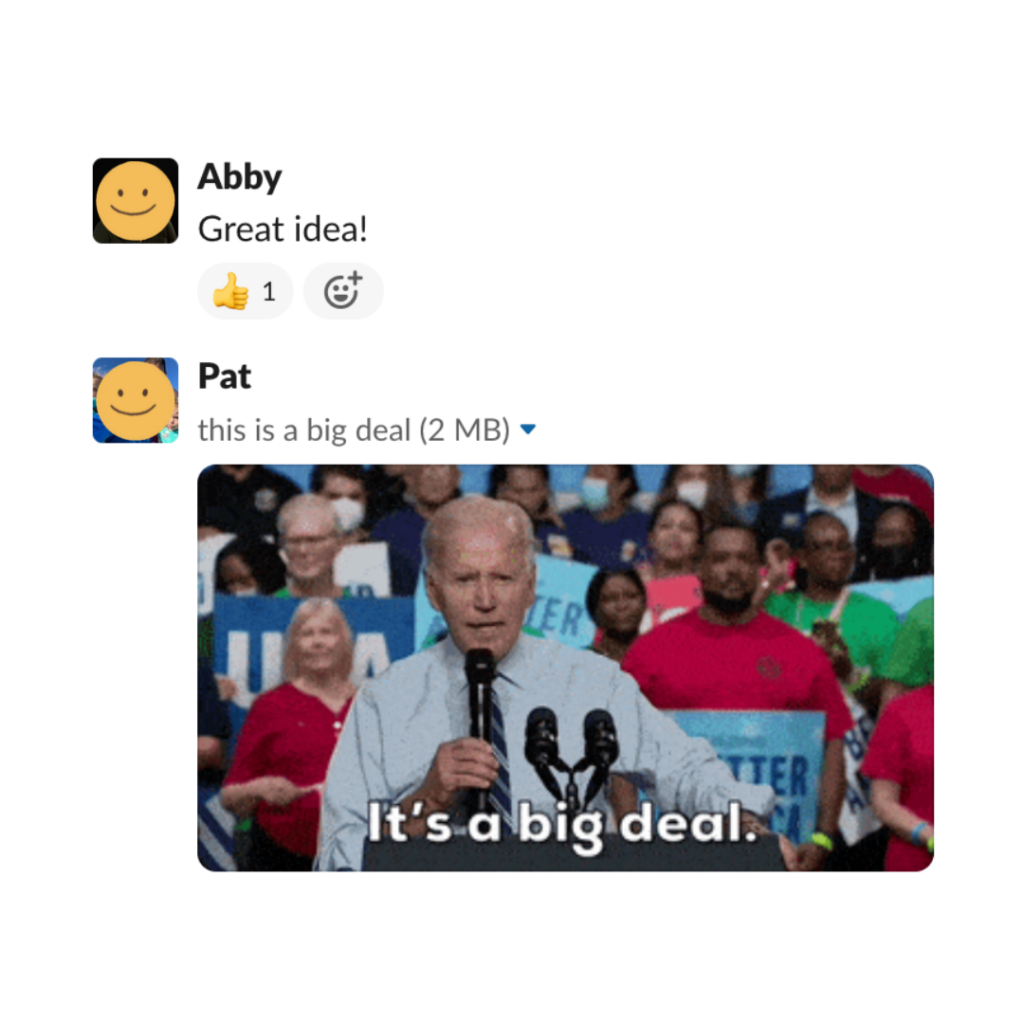
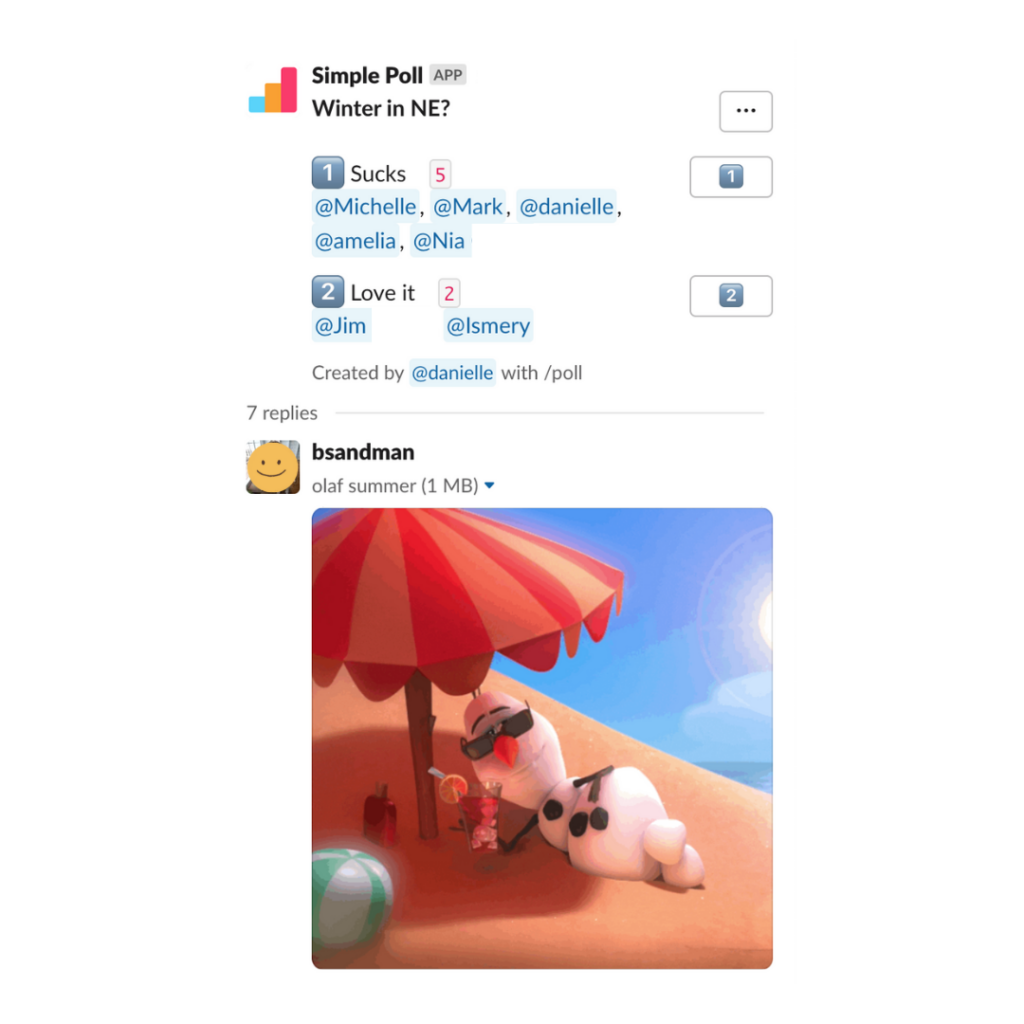
Incorporate gifs, emojis, and jokes into your Slack or online company chats to add reactions and humor to your conversations
Use virtual or in-person meetings to foster a lighthearted atmosphere with funny anecdotes or pop culture references
When challenges arise, model the appropriate stress response for your employees by using lighthearted humor
Extend Laugh at Work Week by prioritizing humor in the workplace every week of the year. For more examples of how to foster a fun work environment, read our recent blog here.
This St. Patrick’s Day it’s not luck, it’s hard work.
5 Horizons has been named a Google Premier Partner for 2023. Many of our clients come to us for Google Ads assistance. Becoming a Google Premier Partner takes a lot of time and hard work.
“We’re excited to recognize your company as a 2023 Premier Partner and for being in the top 3% of partners in your country. Achieving Premier Partner status is an accomplishment worth celebrating, and distinguishes your company as a Google Ads expert to clients and the industry.” – Google
As a Google Premier Partner, 5 Horizons has achieved and exceeded all requirements, while demonstrating continuous success with:
Certifications
Ad spend
Performance
Our team is constantly looking to improve our skills with Google Ads and this recognition is proof of it.
How Does That Help Our Clients?
As a Google Premier Partner, we receive a variety of benefits from Google, allowing us to provide additional services for our clients.
Benefits include:
Dedicated Account Management
Google Partner Search Listing
Client Event Support
Networking with Other Agencies
Executive Business Trainings for Our Employees
Dedicated Support Representatives & Teams
Annual Partners Summit & Review
Google Partners Badge
Ready to Work With Us?
As Google Premier Partners, we know how to achieve success with Google Ads. Reach out to us today if you’re looking to improve your advertising strategy.
Let your guests decide for themselves whether they want to attend a meeting with this feature.
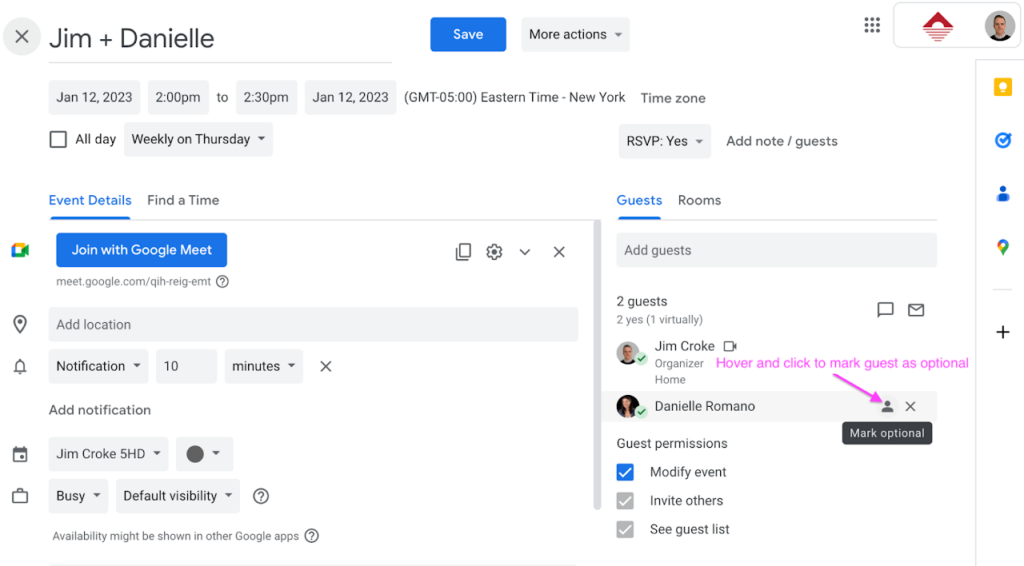
In a company as busy as ours, Google Calendars can fill up fast. To lighten someone’s meeting schedule, you can mark a guest as “optional.”
Hover on the gray user icon to the right of the guest’s name and click it to mark the guest as optional. You can do so at the time you create the event or edit it afterward. With this feature, your staff can choose whether they want to attend low-priority meetings.
Follow our blog for monthly tech tips and insights into the world of digital marketing.
New LinkedIn features for advertising, content analytics, and accessibility.
LinkedIn recently announced seven new features coming in 2023, most of them focusing on improving the platform’s accessibility and optimizing content creation. Here’s what marketers and users can expect LinkedIn to add by the end of the year:
1. Increased Video Accessibility
To keep up with the increased demand for video content, LinkedIn will automatically generate English captions for videos uploaded to the platform and will give users the option to add or edit captions before publishing their videos. To further enhance the accessibility of videos for those with visual impairments or low vision, the user will be able to activate high contrast mode with the LinkedIn app.
2. Standardized Accessibility Job Titles
People working in the field of accessibility can now select from a list of standardized job titles, such as “accessibility designer” or “accessibility engineer.” This feature will increase user’s exposure and access to job opportunities that better match skills in accessibility.
3. Alt Text Functionality in Campaign Manager
Advertisers can now add alternative text (alt text) descriptions to images in their ads to help visually impaired or blind users understand what images are portraying.
4. Updates To Job Search
The platform is currently testing personalized job collections that users can discover without conducting a search. This update is the result of LinkedIn reporting a recent increase in people looking for job opportunities more casually. Whether it’s to find a position that better fits their values and interests or to switch to a role that offers a better work-life balance and professional advancement, LinkedIn wants to better assist casual job-seekers.
5. Product Pages for B2B Product Search
LinkedIn launched Product Pages to empower professionals to make better, more informed purchasing decisions. While LinkedIn is still working on improving the relevance of Product Pages to create a more personalized experience, businesses can already search the platform for 90,000 B2B products.
6. Post Scheduling
Brands and businesses will benefit from LinkedIn’s new feature of scheduling posts in advance to be published at a later date. This update will eliminate the need for third-party social media management platforms, allowing users to streamline the post process on LinkedIn.
7. Content Analytics
LinkedIn is updating the creator analytics dashboard to include audience data and top-performing content. This lets businesses examine the effectiveness of their content, gauge the evolution of their following, and discover more about the audience’s demographics. In order to access these analytics updates, the user must activate the creator mode.
In need of LinkedIn advertising? Our years of experience on this platform allow us to use the new features to our advantage and help our clients achieve their marketing goals. Contact us today and let us help you take your LinkedIn engagement beyond the horizon.
A key element of a captivating slide show is its aesthetics. Making your visual presentation stand out can help retain your audience’s attention and share your information in a digestible and easy-to-follow manner. Here are six tips you can implement in your next presentation:
1. Use presentation templates to save time and keep your design streamlined
Google Slides comes with 20+ default templates to choose from, which can help you save time and energy on design. Of course, if you want your presentation to be tailored to your business, consider spending some time designing a new template that follows the guidelines of your brand or building off of an existing one. Once you design the template, it can be reused for future presentations, keeping your style streamlined and coherent.
2. Stick to brand colors and fonts for professional representation
Whether you are using your brand’s custom template or not, a clean aesthetic can be achieved by following your brand guidelines when it comes to colors and fonts used in your presentation. A consistent slide style can help the content shine, without too many colors and fonts distracting from the main information you are looking to convey.
3. Match fonts to your topic of discussion
Just like the subject matter, fonts have their own personalities. The key to making a good impression with your font is to make sure it matches the topic of your discussion, so keep that in mind when debating between using a serious or a more playful font.
Extra tip:Don’t mix more than three fonts in one presentation. Just like when it comes to colors, you should prioritize consistency and brand style to keep your slides looking straightforward and not too busy.
4. Use transitions in moderation
Transitions are a great tool for visualizing moving from one thought to another within a presentation. Just like the majority of Google Slides features, transitions are best used in moderation. Save them for when you are switching topics or include one at the end, when you are offering an opportunity for your audience to ask questions or share feedback.
5. Utilize infographics to make data more digestible
Nothing makes eyes glaze over faster than long blocks of text on every slide. Infographics and charts are great visual tools you can use to highlight the necessary information and data in a streamlined and digestible manner. Making heavy material accessible to your audience is an important factor in a successful slide presentation.
6. Don’t be afraid to get creative: videos, gifs, memes, and 3D images are all eye-catching
All of these visual forms of media can help your audience relate to and connect with your presentation better, further capturing their attention. Of course, as with everything else, moderation is key, but embedding videos and other creative content can make your presentation stand out. And there is nothing quite like a context-fitting gif to liven up your slides.
As insightful as your content might be, the way you present it can make or break a presentation. Incorporating the tips above into your Google Slides will ensure your audience remains engaged and involved in the information you are sharing and helps you make a lasting impression.
5 Horizons Takes to the Sky: Elina Katrin, a remote copywriter at 5 Horizons, shares her experience flying to Boston for a company holiday party.
As a fully remote employee, I quickly learned the importance of team building. I’m grateful to have easygoing and respected relationships with everyone I see on the Google Meet screen on a weekly basis, and I find joy in being able to joke around with my coworkers about our pixelated backgrounds and share pet anecdotes.
Being able to have fun at work goes a long way toward my productivity and mental health, and I wouldn’t have it any other way. Unless that other way included occasional in-person interactions, in which case—yes, please.
This past December, I was among three out-of-state employees who flew out to Boston for our company Holiday Party. I had an opportunity to finally see my coworkers in 3D, and I gladly took it.
Unlike Nia Chang and Ismery Carrosco Bera, my coworkers whose international travels took eight and 33 hours respectively, I packed a suitcase, a carry-on, a husband, and hopped on an hour-and-a-half plane ride from Northern Virginia. Easy peasy. I brought a full suitcase for a 5-day trip because I couldn’t decide which professional outfit to wear on my first and only (for now) in-person work day in the 5 Horizons office. Not to mention we had company headshots to plan for!
The main reason why I made the journey to New England, the holiday party, was the third day of my trip. By that point, I had already seen most of my colleagues in the flesh, so I was more excited than nervous. After starting the day bright and early with the Secret Santa gift exchange and breakfast at the office, all of us split into teams and embarked on a full day of scavenger-hunt-incentivized city exploring. It involved putting on a Grinch onesie, singing a holiday carol in public, eating a lot of pastries from the North End, and so. much. walking. All of it was worth it though, because my team got second place! We celebrated accordingly when the whole company gathered at Puttshack to play mini-golf and spend quality time together.
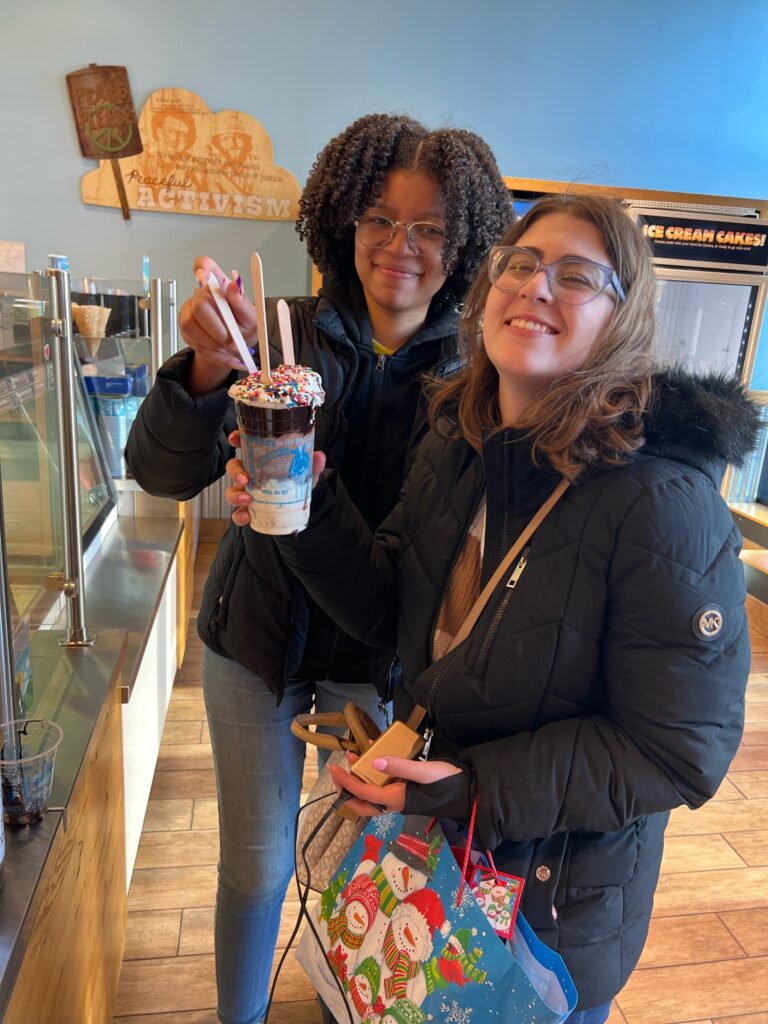
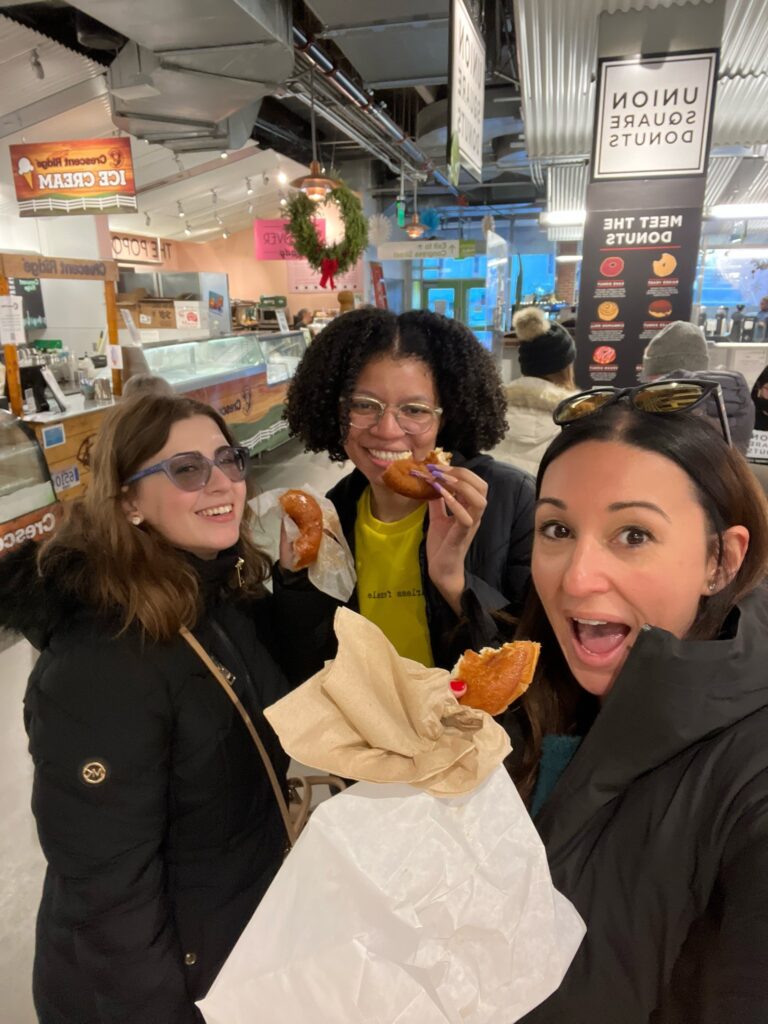
Elina Katrin, Nia Chang, and Lauren Holtzman (the Noel-It-Alls team) after completing the “matching hats” task.Ismery Chang and Elina Katrin with a four-scoop ice cream sundae.The Noel-It-Alls team eating a donut at Union Square Donuts.
Flying out for two days of in-person interaction was absolutely worth it (not just because I won the mini-golf round, my first ever!). Such an eventful work outing not only brought me closer with my coworkers but also gave me the relaxation and positive attitude needed to glide through work in the following weeks.
This experience further reminded me of the importance of fun for team building, and I was happy to hear that my colleague Ismery felt the same way. “Fun is extremely important for team building because it allows the team to get to know each other at a deeper level and share laughs and experiences that we’ll always remember,” Ismery said.
I was relieved to hear that even her 33-hour travel journey also felt worth it after the exciting day 5 Horizons employees spent together.
“I always enjoy connecting with the team in person. The interaction over Google Meet is not the same,” Ismery explained. “You really get to feel the energy of the person and build more of a connection. My favourite part about spending time with the team was seeing everyone in their own element outside of work over a computer screen.”
This trip turned into a refreshing adventure that gave me a chance to interact with my colleagues outside of work and create shared memories. Returning to remote work after this fun outing seemed easier than ever before. I felt like I was a part of a team that now saw me, not just as Elina the copywriter, but as Elina the mini-golf master and cannoli enthusiast. Meeting everyone in person has brought an invaluable personal element to our weekly virtual meetings.
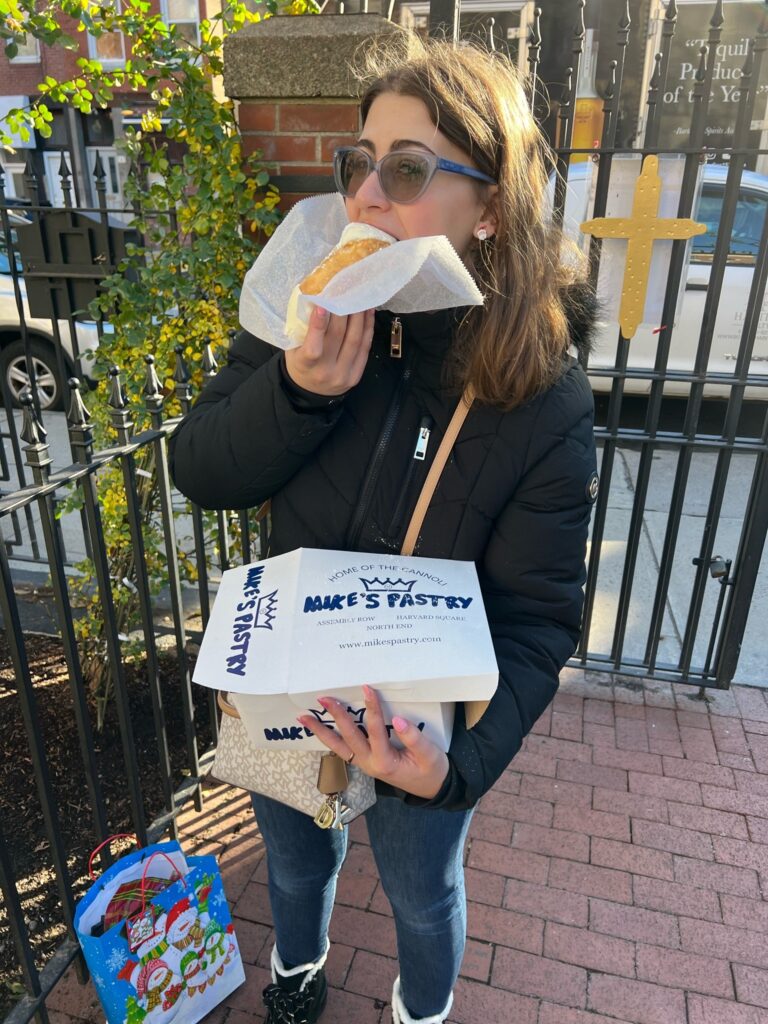
Elina Katrin, happily eating a cannoli from Mike’s Pastry.
To watch the travel adventures my coworker Ismery and I experienced on our way to the 5 Horizons’ in-person team building in December, check out our Instagram reel.
The Inside 5 Horizons series includes stories and perspectives from our amazing team. Get a glimpse into our company culture each month by hearing from the unique voices of our copywriters, strategists, project managers, and more.
Adding fun to your work can make productivity more sustainable and team building more meaningful.
By now the majority of us know that taking small breaks throughout the work day is important, not only for our mental health but for our productivity as well. However, taking breaks isn’t synonymous with having fun at work, a concept many employees in the modern world struggle with. As Bob Nelson of Harvard Business Review points out, the definition of fun varies from person to person, but there are a number of things any employee or employer can do to make the work experience—remote or in-person—more fun and enjoyable.
1. Make Conversation
Something as obvious and simple as starting meaningful conversations with coworkers can uplift the whole day. Whether it’s starting a staff meeting with a question about everyone’s weekend or closing it off with a personal anecdote, engaging in casual or non-work-related conversations with your colleagues can add more joy to your workday by helping you be more mindful of the people around you.
2. Put a Tune To It
Whether it’s a podcast or an exciting playlist, work is more fun with something else going on in the background. The core of team building is people, and distance is not an issue for creating a collaborative playlist with everyone in your company. If you are not easily distracted by sound, putting on music can put you in a better mood and give you the motivation to cross off your daily tasks. For example, 5 Horizons started an agency-wide crowd-sourced playlist called Beyond the Horizon that works wonders during afternoon slumps.
3. Start a Party
If a company-wide outing is an option, any activity with the word “party” in it is a guaranteed fun booster. Of course, virtual parties are a great team-building option, but getting people away from their computer screens and moving should be taken advantage of as well. Such outings can help employees get to know each other better and reinforce the essence of a team.
Fun is a catalyst for sustainable productivity, and an exciting working environment is one of the key factors for team building, whether we are in-person or remote. Hopefully, by trying out at least one of the suggestions above, you and/or your company can start incorporating more fun into the workday.
Reflecting our year of growth with a new website in 2023.
2022 was a year full of growth and learning for 5 Horizons–and our website has just received a big make-over to reflect it. In the last 12 months we rebranded with a new logo, moved our office location (hello Braintree! 👋🏻), and grew our team with five new talented employees.
Each year we push ourselves to keep learning in order to bring our clients the best and brightest strategies to accomplish their goals. Internally, we encourage our staff to explore professional development opportunities to increase our overall skills in a continually shifting digital landscape. This year our staff participated in 100+ hours collectively of PD!
As we embark on our tenth year at 5 Horizons, keep an eye on our new website for upcoming trends under Insights and a look behind the curtain under Projects to see how we handled certain client challenges. Follow us on social media for day-to-day updates or reach out through our contact form to chat with us directly.
At 5 Horizons we’ll continue to solve problems using creativity, technology, and data to help our partners grow. We look forward to being your partner in 2023.
Your new all-in-one guide for higher page ranking and better user experience––plus download our free reference guide!
SEO. Search Engine Optimization. By now, we’ve all heard about it, no matter how big or small of a role marketing plays in our lives. We know that SEO is the process of improving a site to increase its visibility when people search for products or services related to your organization in Google, Bing, and other search engines. But, if you find yourself knowing what SEO is and what it does but are unsure of how to implement it in your website, read on.
How to Improve Your SEO
1. Identify Focus Keywords
A keyword is a word or phrase that serves as the primary purpose of the page. All pages should be written for one identified keyword, even though they can rank for more than one focus keyword or keyword phrase.
Our Recommendation
Keep track of the focus keywords used on your site and identify specific, different keywords for each page to avoid cannibalizing your page rankings.
2. Increase the Keyword Visibility
Identifying your keywords isn’t enough—the frequency with which a keyword is mentioned on a page plays a crucial role in improving your site’s ranking.
Our Recommendation
Place the keyword in the meta title, page headings, and three to five times within the content if it’s possible to do so organically.
3. Come up with a Relevant Meta Title
Meta title is the page title that shows in the tab at the top of a browser screen. It is used in search engine page rankings, that’s why it’s important for it to have keywords and be to the point.
Our Recommendation
Aim for a meta title of about 60 to 65 characters to avoid parts of your title getting automatically removed in the process known as truncation.
4. Write a Meta Description
Meta description explains what the page is about and is often used as the preview text on search engine results. Make sure to write a meta description for each of your pages because, if left blank, the search engine may pull in whatever copy it decides is relevant. The meta description is often disregarded by people because it isn’t utilized in determining ranking, however, it can directly affect user experience and decision to click the link.
Our Recommendation
Meta descriptions should be unique, approximately 145-155 characters, and contain focus keywords when possible.
5. Get Creative with Title Tags
Title tags are heading and subheadings on the page that are identified with HTML title tags (e.g., <h1>, <h2>, <h3>). You should use them not only for the better content organization but also as opportunities for including keywords.
Our Recommendation
Use the <h1> tag only once per page, as the main headline. Include keywords in your subheading tags and use them to break up content for readability, as well as for listicles.
6. Generate Cluster Content
Cluster content refers to content pieces written specifically to drive traffic to web pages through internal links. The more interlinking you do, the better the placement in search engine results pages.
Our Recommendation
When generating cluster content, use the focus keyword as the internal link anchor text to build authority.
Bottom Line
We know the abundance of information surrounding SEO can be overwhelming at times, but updating your site in a timely manner while keeping the best SEO practices in mind can really make a big difference. At 5 Horizons, we love helping clients expand their audience reach. If your site’s SEO needs a little boost, let us know—we’d love to increase the awareness of services or products you offer.
With the rebirth of QR codes, your business can (and should) leverage the QR tool to enhance your marketing and advertising. Diversify your marketing strategy by using QR codes to do the following three things:
1. Drive Traffic to Your Website
QR codes can provide opportunities for prospective leads to quickly visit your website, learn more about your business, or sign up for an advertised event.
2. Optimize Calls to Action
The main role of the QR code is to connect traditional and digital marketing. Adding the codes to flyers, posters, brochures, mailers, postcards, and other print marketing materials is much easier than typing out full destination links. QR codes eliminate the need for URL typing or memorization and connect a lead to your preferred destination on their own device.
Whether you’re selling a product, driving donations to your nonprofit, or generating leads for your school’s information session, a QR code will easily take an interested person to the right page in a matter of seconds.
3. Visualize Promotional Materials
QR codes can lead directly to various multimedia elements, such as images, videos, or music, enriching the customer experience with more than just text. This supplemental material adds an interactive element to your ad, making it stand out.
Translation services, grocery shopping, online orders—these are just a few of the capabilities QR codes already offer. QR codes will most likely transform in the future and become even more versatile, which should serve as another incentive for marketers to hop on this trend now and utilize QR codes in their marketing strategies going forward.
If you or your business needs help staying up to date with the best marketing practices such as this one, let us know. 5 Horizons always keeps up with the latest marketing trends–and you can too on our blog.