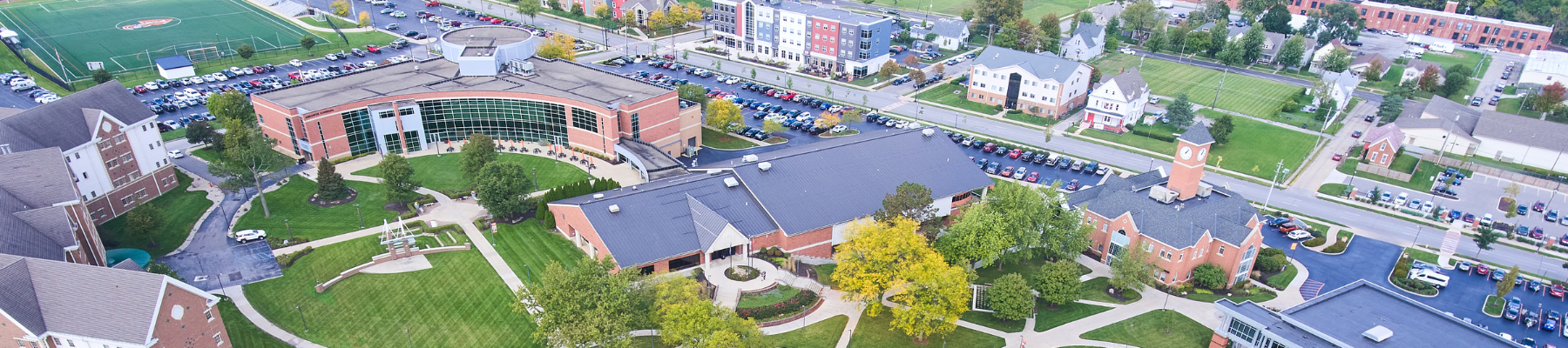
Aerial view of a college campus

10 Easy Wins for Higher Education Social Media Managers As Students Return to Campus

You’re a social media manager for a college or university, prepping your content calendar for the return-to-campus push. Drawing a blank this year? Here are 10 easy wins you can add to your schedule.

1. Simple Campus Tour

No need to film lots of B-roll and edit a roaming video (unless that’s your thing—we expect that would perform really well!). Showcase the ins and outs of your campus with a lighter touch by posting pictures of popular campus spots with fun “behind-the-scenes” captions. Rather than “here’s the library” (which is easy to find using a campus map), think more along the lines of: here’s the most-coveted study room in the library with the best views.

2. Highlight Campus Groups

New and returning students are guaranteed to be thinking about the activities they’ll join this year. You likely have content you’ve already written or posted about some of the popular campus groups, like a planning board, campus newspaper, or student government. Repackage your content into a new post to get students excited about the opportunities.

3. Campus Beauty

End of summer into the early fall on many college campuses is when that collegiate beauty really shines through. Take advantage of sunny afternoons, blooming flowers, and those special sights that make your campus stand out.

4. College Traditions

They’re unique to your school, and they unite the student body. Publish the fall Athletics schedule. Teach unique chants. Share the stats on your campus mascot. Share what meal is most popular in the dining hall—nugget night? Post any little tidbit you can think of that will help new students feel in-the-know, and remind the entire student body of the things that bring them together.

5. Throwback Pictures

Flip through old yearbooks for pictures of students moving in from years past. The fashion and hair are sure to generate engagement in the comments! It’s likely that the move-in and enrollment process has changed over the years, and it’s fun for alumni to reminisce about things like registering for classes on index cards or the clubs and teams that the school used to have.

6. Student Takeover

If you have a student intern working with you for the summer, or if there are orientation leaders or RAs on campus early, invite them to answer questions on the institution’s account. They could post a question box and answer questions with text slides, or if they’re comfortable, film a few short videos with tips and advice for making move-in as smooth as possible. You could also plan a student takeover during the first few days of classes, day-in-the-life style.

7. User-Generated Content

A surefire way to get everyone involved is to open up the comments. Schedule a few posts asking returning students or even alumni for their tips and advice for new students:

  • Comment a welcome message to our new freshmen!
  • Alumni: what’s one piece of advice as students start their journey here?
  • What’s the top campus resource students might not know about that they should take advantage of?

8. Move-In Day Recap

A few days into the semester, a photo or video collection from move-in day is always a popular post. Parents and alumni alike love to think back on this time fondly. It’s reassuring to know that returning students are there welcoming the newest class.

9. Tease Homecoming or Parents Weekend

This one is for the parents. They’ll be feeling emotional about dropping their student off for the very first time, and learning about the next time they can come to visit helps alleviate some stress. Depending on the timing of your school’s event, they may even be able to start registering for your fall weekend right now.

10. Logistics

It’s not always the most fun post, but it’s an important one! Move-in details, housing assignments, anything that students and parents need to know before they come to campus that first time. Even if it’s listed on the school’s website, most people are searching on social first for that information. Do everyone a favor by making it easy to find on your social accounts.

It’s that time of year when things feel fresh, everyone is ready for a positive start, and your social accounts should reflect that. We hope these ideas spark some inspiration for your fall content calendar!


5 Horizons has been a leader in the higher education industry for 12+ years, working with clients from community colleges to the Ivy League. Reach out if you’re ready for a strategic partner who understands your audience and how to reach them.

An overhead view of a man typing on his laptop, a gold watch on his left wrist. A notebook and pen open to his left with blank pages.

Best Practices for Creating Effective Content Posts

Optimizing your web pages for specific keywords can increase page ranking and boost traffic, but it may not be enough to achieve your goals. Strategically written content pieces can help improve keyword visibility through internal links to the page.

At 5 Horizons, we recommend a hub-and-spoke model where content includes links to other pages on the site. This strategy should also include planning for links between content pieces to provide authority and keep visitors on the site for as long as possible.

Start with a Content Strategy

A good content strategy will follow a site audit for keyword ranking and visibility. Questions to ask in a formal or informal audit include:

  • What keywords is the site already ranking for?
  • What is the search volume for those keywords?
  • What is the search volume for related keywords?
  • What topics and questions show up for “people also search”?
  • What are the most important pages on the site for organic traffic to find?
  • Where is the most potential for increasing page ranking?

These answers will help you identify target keywords, create a list of topics that can attract searches for those keywords, and map out page links. 

Create a Strong Foundation

While the actual content is quite important, there are several considerations that will make a big difference for the search engines.

Write Meta Titles That Matter

Meta titles should be limited to approximately 65 characters. This may require abbreviating the company or organization name, which is often acceptable since incorporating the keyword phrase into the supporting content is more important.

Create Compelling Meta Descriptions 

The meta description is most often used as the text that appears on the search engine results page. These should be approximately 145-155 characters and contain at least one instance of the keyword or keyword phrase. Be sure to include compelling content that encourages users to click the link. If your page is missing a meta description, the search engine may grab text from the webpage that isn’t relevant, resulting in fewer clicks to your site.

Remember to Write for the Bots and for the Humans

Search engines may determine how to rank web pages, but it’s ultimately the human readers who will or won’t engage. Therefore, the content needs to be keyword-rich without simply being keyword-stuffed. It needs to be interesting, well-written, and easy to scan. Use headlines (h2s and h3s) to guide readers (and the bots) through the piece. Bulleted or numbered lists also aid in content consumption.

Say What Needs to Be Said

You will find plenty of recommendations about how long a content piece should be for maximizing ranking. The most important consideration in writing content is saying what needs to be said in the number of words it takes to do so. Too short and your reader won’t find what they’re looking for; too long and they won’t bother sticking around to find out.

General Recommendations and When to Split Up

Each content piece should be approximately 500 to 750 words and include at least three to five mentions of the relevant keyword(s). The emphasis should be on providing interesting content that appropriately addresses the keyword topic. If this greatly exceeds the recommended length, consider breaking into multiple pieces of content and linking between them. 

H1s Get to Be Unique

Include the keyword in the main on-page title (h1). There should be only one h1 per page, and it should be unique within your site.

Provide Guideposts

Subheadings (h2) provide other opportunities for including the keyword or other variations and also guide readers through the content, whether they are skimming or searching for relevant information. We have provided multiple keywords for each content idea, and these should be included as h2s and/or within the content when it is easy to do so while maintaining readability. Preference should be given to keywords with higher search volume.

Include Variety and Avoid Cannibalization

Frequently, the difference between identified keywords and search volume is a matter of semantics and the monthly search volume may vary widely between phrases that appear quite similar. This is why we recommend including varied iterations within the content.

At the same time, it’s important to avoid cannibalizing rankings of other pages on the site by creating content pieces that overlap too closely or use too-similar keywords. If there isn’t enough differentiated content for a stand-alone post, consider using the related keywords as h2s within the larger piece.

Use Links to Drive Traffic

Use internal links on the keyword or keyword phrase to direct to the relevant website page. Links can also connect pieces of content to drive authority for those individual posts and for the site as a whole. Each content piece should have two or three links to other pages on the website.

Encourage Engagement with Strong Calls to Action (CTAs)

Each piece should end with a clear, prominent call to action (CTA) that ties back to the purpose of your site. This could be learn more, apply now, or another relevant action. 

Get In Touch

Questions about your recent audit? Coming up blank on content ideas? Ready to review your site? Reach out. We’re happy to help.